Showing posts with label Android. Show all posts

Ninesky Browser

0 comments


Ninesky Browser


When we are using our Android powered devices we need to keep in mind that we have limited resources. Big difference between PC and smartphone is it’s power. With limited GPU and RAM Android device might have a problem with Internet browsing. To save your resources and improve speed of browsing you can use Ninesky Browser that looks similar to Google Chrome. We hope that it is as fast as Chrome.
Even Ninesky Browser is an application that is not so famous and not so many users knows about it. It will offer layout similar to Chrome and homescreen will be our favorite webpages. When it comes to search engines now you can set Google, Bing or Yahoo to be your default search engine.


With this browser you can be sure that you will get top speed and that it will open any content so it will be a great alternative to existing similar apps. You can choose low carbon option for even faster navigation (it doesn’t load images and flashes). The night mode enables a screen filter to reduce the display consumption and thus, battery drains. There are other displaying features as “optimize page” for hard-readers.
Ninesky Browser offers similar features like other browsers and you will be able to check downloads, got to full screen, bookmark, check history, set as favorite, and much more. One of the greatest features is the possibility to add sites to list and read them latter.

Voice Search (Google Inc.)

0 comments

  
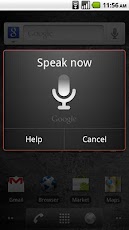
Search the web and your phone by voice and control your phone with Voice Actions
Quickly search your phone, the web, and nearby locations by speaking, instead of typing. Call your contacts, get directions, and control your phone with Voice Actions.

Features

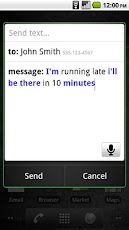
  • Send text messages
    Say "send text to [recipient] [message]*"
    e.g. "send text to Allison Miller Running late. I will be home around 9"
  • Listen to music
    Say "listen to [artist/song/album]"
    e.g. "listen to the decemberists"
  • Get directions
    Say "navigate to [address/city/business name]"
    e.g. "navigate to the DeYoung Museum San Francisco" or "navigate to 1965 Page St."
  • Call businesses
    Say "call [business name] [location]*"
    e.g. "call Pizzeria Venti Mountain View"
  • Call contacts
    Say "call [contact name] [phone type]*"
    e.g. "call Allison Miller home"
  • Send email
    Say "send email to [recipient] [subject]* [body]*"
    e.g. "send email to Mike LeBeau How's life in New York treating you? The weather's beautiful here!"
  • View a map
    Say "map of [address/city]"
    e.g. "map of San Francisco"
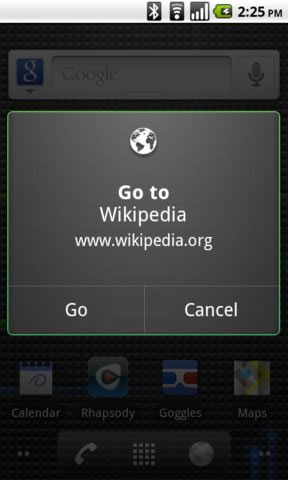
  • Go to websites
    Say "go to [website]
    e.g. "go to Wikipedia"
  • Write a note
    Say "note to self [message]"
    e.g. "note to self grocery list banana milk eggs pizza"
  • Search Google
    Say "[your query]"
    e.g. "pictures of the golden gate bridge at sunset"


MX Video Player Pro

0 comments


MX Video Player Pro


Features :


  •  MULTI-CORE DECODING - MX Video Player is the first Android video player that performs multi-core decoding. According to the test results on dual-core devices, it shows up to 70% performance improvement than single-core devices.
  •  CPU OPTIMIZATION - Provides highly optimized Codecs and Rendering Engines for the processors including ARM® NEON™ and NVIDIA® Tegra™ 2.
  • PINCH ZOOM - Easily zoom in and out by pinching and swiping across screen.
  • SUBTITLE SCROLL - Scroll on subtitle text and playback position will be adjusted to match previous or next subtitle timing.
  • BETTER SUBTITLE READABILITY - Increased subtitle readability with thicker border and shadow around text.
  •  ANDROID 4.0 - Fully supports Android 4.0 Ice Cream Sandwich.
Sometimes license checking could fail on the first run.
It typically happens when current time or time zone settings are incorrect, or Internet connection is unavailable. Please check the time setting and Internet connectivity.


Created by Xvert Bloggers


 MX VideoPlayer also supports srt, ass and saa subtitles, supports multi audio player, multi subtitle, http and rtsp streaming, playing support, and also features CPU Optimization , Highly optimized for some processor including Tegra and ARM Neon. MX Video Player 1.5 .Apk works on all Android version, enjoy best playback experience and quality on your Android device now. MX Video Player Pro 1.5 Apk has about 4 MB of Apk file size. Download and install MX Video Player Pro 1.5 now and play any video formats on your Android device.

Download from: Mirror1

Police Scanner Radio PRO

0 comments


Police Scanner Radio PRO

BEST POLICE SCANNER APP AVAILABLE PERIOD!

LISTEN to LIVE, RAW & UNCUT CRIME as it HAPPENS!

ALSO INCLUDES OVER 200 EXCLUSIVE NOAA Wx RADIO FEEDS!

Top reasons to buy Police Radio PRO

1. Top Notch Design, Graphics & Functionality!
2. Proven & Tested Technology Since 2009!
3. Solid & Bug Free! It Just Works!
4. Gold Standard In Streaming Technology.
5. Best Customer Support Team!
6. Top RadioReference.com Mobile Police App!
7. 4.5 out of 5 by Macworld.com!
8. Feature by Apple 2010 iTunes Rewind!
9. Satisfaction Guaranteed!


EXCLUSIVE FEATURE: 

* Support for Metadata Tags (This means you can now see which department is talking each time a call goes out! Bringing you closer than ever to a real scanner) this is a unbelievable awesome new feature only found in Police Radio Pro. *(feature currently available on select feeds only) 


ABOUT THE APP:

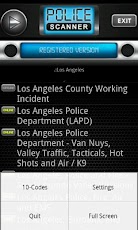
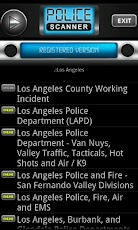
Police Radio Pro is a fast & easy to use application for listening to live Police, Fire, EMS and NOAA Weather frequencies throughout the United States, Canada and more!

With Police Radio Pro you can listen to all your favorite emergency frequencies such as NYFD and LAPD at the fraction of the cost of a real scanner. In addition you can use the integrated maps to pinch and zoom your way to every call. Follow along with the action using the built in police code list so you never miss a beat. Police Radio Pro also supports stereo bluetooth A2DP audio output for listening in your vehicle or wherever you may have bluetooth & network connectivity.

  iPhone Screenshot 1    

ADDITIONAL FEATURES: 

✓ iPod controls (pause & play everywhere) 

✓ Sleep timer! 

✓ Support for alpha tags / metadata! 

✓ Realistic LCD scrolling text! 

✓ High resolution retina display graphics! 

✓ Ability to save your favorite stations! 

✓ Ability to add and edit custom stations! 

✓ Intuitive & easy to navigate interface! 

✓ Background audio support via iOS 4 multitasking or safari! 

✓ Auto updating database built in! We add it! You get it! 

✓ Ability to disable auto lock! 

✓ Integrated high resolution and location aware maps!

tinyCam Monitor

0 comments


tinyCam Monitor PRO

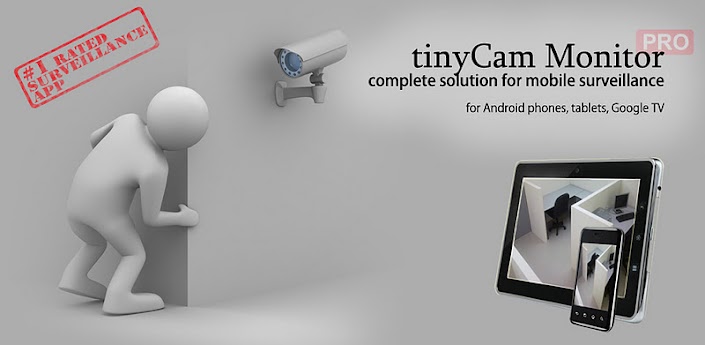
Mobile surveillance from any IP cameras for Android phones, tablets, Google TV.
One of the best app available for Android for remote surveillance, control and video recording for your private/public network or IP cameras, video encoders and DVRs with CCTV cams (#1 rated surveillance app, 4.6 average rating with 10,000+ active users). Monitor your baby, pet, home, business, traffic, and weather remotely and securely (no data being sent to 3rd parties). tinyCam Monitor provides best value to customers.
Loaded with tons of features:
- Very intuitive custom made interface. See the screenshots to appreciate the quality of the app.
- Support for M-JPEG based devices of all major vendors (100+)
- 1-way audio (listening) for D-Link, Edimax, Gadspot, SONY, Sharx Security, LogiLink, TRENDnet, Y-cam (selective models), Panasonic
- 2-way audio (talking and listening) for Axis, FOSCAM, Loftek, Tenvis, Wansview, INSTAR, and more on the way!
- SSL support (https) for secured monitoring and encrypting credentials
- 10 different layouts with unlimited number of cameras support
- Control pan-tilt-zoom (PTZ) enabled devices, i.e. Pixord, Vivotek
- Relay, LED control for some models
- Cyclic 24/7 video recording (sequence of JPEG images) on SD card, FTP server, or Dropbox. Video playback is under development.
- Easy to use pinch to zoom for digital zooming and swipes for camera selection
- Sequence mode for automatic cameras switching
- Import/export settings to SD card or Dropbox service
- Support for any USB/laptop cams through 3d party software for PC/Mac (see FAQ)
- Native interface for Honeycomb tablets and Google TV
- Very CPU efficient....
        
 UNIQUE features:
- The only app in the market which supports ON CAMERA MOTION DETECTION (selective models). Make automatic snapshots or play alert sound on motion!
- LAN SCANNER for automatic cams detection. Have a camera IP address suddenly changed? It takes only couple minutes to fully rescan your home network
- Audio real-time processing (SQUELCH & ALARM) for using it as a baby monitor


Convert Your .apk files to .jar files

0 comments


I have searched a lot for a bit of information on converting .apk files to .jar files. I will share it with you.Let's get sarted.

Download .apk file from market

  • Download any app from the Android Market [Go]   [[Click and Plz wait for 5 seconds]] {Press small close button on top right}
  • Install Astro File Manager from Android Market [Go]  [[Click and Plz wait for 5 seconds]] {Press small close button on top right}
  • Open Astro > Tools > Application Manager/Backup and select the application to backup on SD card.
  • Mount the phone as USB and access 'BACKUPAPPS' folder to find the apk of targetapp.(lets call this targetapp.apk).
  • Copy it to your hard disk.

Decomiling apk to Dex format

  • Download Dex2Jar [GO] [[Click and Plz wait for 5 seconds]] {Press small close button on top right}
  • Android runs applications which are in Dalvik Executable (.dex) format.
  • Run the following command to convert apk to jar.
dex2jar targetapp.apk file(./dex2jar targetapp.apk on terminal)
                                                 File 'targetapp.apk.dex2jar.jar' is created

[Click to Enlarge]

Viewing/Decompiling the Jar files to Java


Method 1 : Use JavaDecomiler (JD)

  • Open 'targetapp.apk.dex2jar.jar' with jd-gui [Click to Download]  [[Click and Plz wait for 5 seconds]] {Press small close button on top right}
  • File > Save All Sources to save the class files in jar to java files.
Method 2 : JAD
  • Extract contents of jar file on to a folder named src.  Use and unarchival utility like 7zip.
  • Keep 'src' folder in the same directory where JAD and targetapp jar is present.
  • Open JAD in cmd and execute the following command
jad -o -r -sjava -dsrc src/**/*.class (./jad on terminal)


Now src will contain decompiled Java files ready for manual code review.


Source:- http://www.blacksecurityup.blogspot.com

Sketchbook Mobile

1 comments

SketchBook Mobile

Unleash your creativity with SketchBook Mobile for Android!
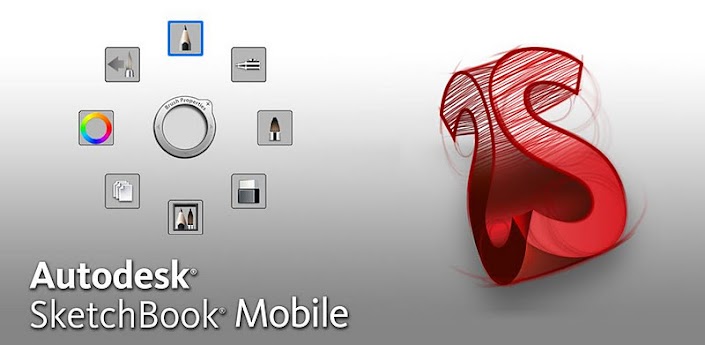
Autodesk SketchBook® Mobile is a professional-grade paint and drawing application offering a full set of sketching tools and a streamlined and intuitive user interface.
*Requires a multi-touch device running Android 2.1 or above. Recommended devices include: 1GHz processor, 512mb RAM.

Features


Designed for use with tablet PCs or digitized pen tablets, Autodesk® SketchBook® Pro drawing and painting software is your digital sketchpad. It is easy to use with fast, reactive drawing and productivity-enhancing tools that help you express your ideas freely and boost production. Use it in any design process where pen and paper would traditionally be used, including:
  • Product concept design and ideation
  • Illustrations
  • Character studies
  • Set and level designs
  • Storyboarding
  • Annotation and review
Autodesk Sketchbook Pro: A Natural Sketching Experience
A Natural Sketching ExperienceSketchBook Pro is your virtual sketchbook. Designed specifically for pen-based interaction, SketchBook Pro enables you to transform your desktop computer, laptop, or tablet PC into a digital sketchpad. The intuitive interface makes it easy to access a host of tools and features, including pencils, markers, brushes, colors, guides, layers, and blending effects.
Autodesk SketchBook Pro: Professional-Quality Tools
Professional-Quality ToolsFamiliar brush types and realistic and completely customizable pencils, pens, markers, and airbrushes allow you to quickly and easily produce graphics. The power of drawing straight lines, rectangles, circles, and ellipses with draw modes or snapping-to guides are at your fingertips. Use the newly added Type options to easily add annotations and descriptions.
Autodesk SketchBook Pro: Image Enhancements
Image EnhancementsThe look of your images can be fine-tuned by adjusting the colors, contrast, canvas size, and crop. Full-featured layers, including preserve transparency and blend modes, help you color and create.
Autodesk SketchBook Pro: Any Creative Process


                           What's New


What's in this version:
  1. ✓Bug fix
  2. ✓Support for 4.x (Ice Cream Sandwich)
  3. ✓Stability Improvements
  4. ✓Fixes working on tablet devices  


Any Creative ProcessSketchBook Pro fits in virtually any creative workflow; load and view images and photographs for reference or mark up and annotate. SketchBook Pro lets you open and save images from a variety of image formats, including moving files directly in and out of Adobe® Photoshop® software.